Ultra-Realistic Kurta Portrait Prompt for Gemini AI – Free Copy Paste Gemini Photo Prompt
Gemini Prompt
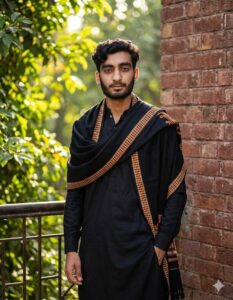
Ultra-realistic, hyper-detailed, 8K cinematic portrait of a young stylish man, using the uploaded image for exact face and hairstyle. Outfit: Elegant traditional black kurta pajama set with refined fabric texture and smooth matte finish, exuding timeless sophistication. Draped gracefully over the shoulders is a luxurious black shawl featuring an intricate orange, yellow, and white checkered border, flowing naturally with realistic fabric folds and fine embroidery detail. Pose: Standing casually against a rustic brick wall or sleek railing, one leg slightly bent for a relaxed yet confident stance. His expression is thoughtful and composed, with subtle focus in the eyes, reflecting quiet strength and cultural elegance. The posture appears natural and poised, enhancing the overall regal presence. Background: Surrounded by lush green foliage and vibrant natural scenery, softly illuminated by warm, bright sunlight filtering through the leaves. The background features cinematic depth of field with gentle bokeh, soft
Artificial intelligence is transforming the way people create and edit photos. With powerful tools like Google Gemini, users can generate cinematic portraits, artistic edits, and hyper-realistic images within seconds. One of the easiest ways to get professional-quality results is by using a well-written AI prompt.
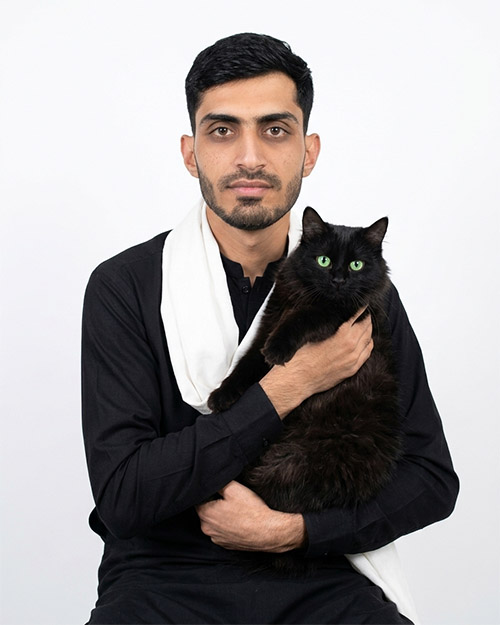
This prompt is designed to generate a hyper-detailed 8K cinematic portrait of a young stylish man wearing a traditional black kurta pajama and a luxurious shawl, surrounded by beautiful natural scenery and soft sunlight.
How to use given prompt in Gemini (Nano Banana)?
How to Use This Gemini Photo Prompt Follow these simple steps to generate your AI portrait.
1. Open Gemini AI Go to Google Gemini and access the image generation or editing feature.
2. Upload Your Photo Upload a clear portrait image so Gemini can maintain your face and hairstyle while transforming the scene.
3. Copy the Prompt Copy the Gemini prompt provided above.
4. Paste into Gemini Paste the prompt into the input box and send the request.
5. Generate the AI Portrait Gemini will create a cinematic ultra-realistic portrait with traditional clothing and natural lighting.
6. Download the Image Once the AI image is ready, download the high-resolution result and share it on your social platforms.